sedaptogelAndroid & iOS App
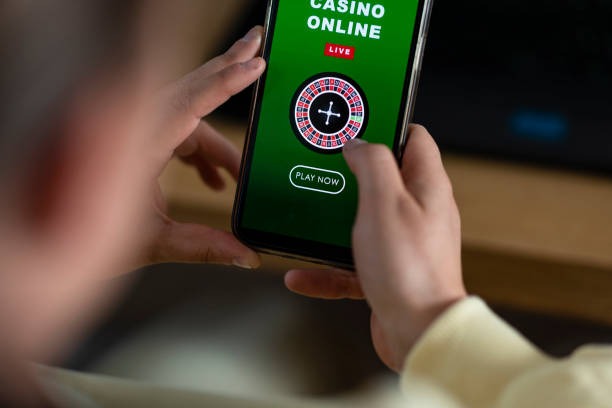
Mobile access to sedaptogel gives you live-dealer tables, sportsbook betting, slot games, and esports markets wherever you are. We offer Android APK installation, iOS browser play, and a responsive web app so you can choose the experience that suits your device and preferences.

- Update
- DownloadAPK
- Installin
Our mobile-first design keeps the same account security, payment options, and game variety you get on desktop. Whether you're in Jakarta, Surabaya, Bandung, Medan, or Semarang, you can access Liga 1 updates, live roulette sessions, and mobile-optimized gameplay with the same login credentials. No separate app store downloads required for iOS—just visit our site from Safari.
Below, we walk through installation steps, platform options, and how to keep your mobile account secure. Our sedaptogel mobile experience is built around speed, safety, and convenience, with support for DANA, e-wallet, mobile banking, local payment, online payment, e-wallet, and bank transfers for deposits and withdrawals.
Download and Install sedaptogel on Your Device
We at sedaptogel provide three main ways to access our platform on mobile:
Android APK: Download our native app directly to your device. You'll need to enable installation from unknown sources in your settings, then follow the simple setup wizard. This method gives you the fastest performance and offline features.
iOS Browser: iOS users can visit sedaptogel.bet from Safari or any mobile browser. We've optimized the site for iPhone and iPad, so you get a smooth, app-like experience without needing to install anything from the App Store.
Web App: Any phone or tablet can run our web app by saving sedaptogel to your home screen. This works across Android, iOS, and other devices, and you get instant access to updates without waiting for app releases.

How to Install sedaptogel in Four Steps
-
Download the APK or open the web app
Tap the Android APK link above, or visit sedaptogel.bet in your mobile browser to use the web app directly.
-
Allow installation from unknown sources (Android only)
Go to Settings > Security, enable "Unknown Sources," then complete the APK installation when prompted.
-
Create your account or log in
Open sedaptogel, enter your login details if you have an account, or create a new account with your email and mobile number.
-
Complete KYC verification and deposit
Verify your identity (we ask for your ID and proof of address), then deposit via DANA, e-wallet, mobile banking, local payment, online payment, e-wallet, or your bank to start playing.
Native App vs. Browser: Which Should You Use?
Our native Android APK app offers faster load times, offline game caching, and push notifications for live-table availability and Liga 1 match updates. If you use Android and want the quickest performance, the APK is the ideal choice. The app runs independently of your browser, so you get direct access to sedaptogel's full feature set without worrying about browser updates or compatibility issues.
The mobile browser and web app work equally well on both Android and iOS. You'll get the same games, betting markets, and payment options as the APK, with the advantage that you don't need to manage app updates. For iPad users or anyone who prefers a lightweight installation, the browser experience is a perfect alternative. On Piala AFF match days or during Idul Fitri holidays when traffic spikes, both paths stay responsive thanks to our server infrastructure.
Device Requirements and Compatibility
Our Android APK supports devices running Android 7.0 and later. Most phones and tablets released in the past five years meet this requirement. For iOS, we recommend iOS 12 or higher; older devices may experience slower performance but can still access sedaptogel via the browser. Web app access works on any device with a modern browser, including Android, iOS, Windows, and macOS devices.
If your device is older or has limited storage, the browser and web app methods are the best options since they don't require a permanent installation. Users across Medan, Semarang, and other regions report smooth experiences on mid-range Android phones and iPhone 8 or later models.
Troubleshooting Common Installation Problems
If the APK won't install on Android, check that you've enabled "Unknown Sources" in your security settings. Some devices have additional manufacturer restrictions—Samsung devices, for example, may require you to approve the app through a separate Samsung settings menu. Clear your browser cache if the web app appears outdated or loads slowly. If you get a certificate warning when installing the APK, this is normal; our installer is signed with a valid security certificate, so you can proceed safely. On iOS, if the mobile site doesn't save to your home screen, try using the browser's "Add to Home Screen" option from the share menu rather than the bookmark feature.
Mobile access to sedaptogel is just as secure as desktop. We use the same SSL encryption, two-factor authentication, and account verification across all platforms.
Data, Permissions, and Account Security on Mobile
When you install sedaptogel on mobile, we ask for minimal device permissions: typically camera access (for ID verification during KYC), contacts (optional, for account recovery), and location (to check jurisdiction compliance). We never sell these permissions to third parties. All data sent between your device and our servers is encrypted using SSL/TLS protocols. Your password, payment details, and betting history remain encrypted in our database.
We encourage you to enable two-factor authentication on your sedaptogel account. This adds an extra verification step whenever you log in from a new device, protecting you against unauthorized access even if your password is compromised. If you suspect someone has accessed your account, use the password reset feature on our Customer Support page or contact us immediately. Our team will help you regain control and review any suspicious activity.

Getting Help on Mobile
If you run into issues using sedaptogel on your phone, our Customer Support team is available to help. You can contact us via email, in-app help chat, or through the help section in your account settings. Describe your issue (app crashes, login problems, payment errors), your device type and OS version, and when the problem occurred. We'll work with you to resolve it.
For faster responses during high-traffic periods like Liga 1 finals or Idul Adha holidays, consider checking our FAQ or support documentation first—many common questions are answered there. If you need urgent assistance with a withdrawal or account access issue, priority support options are available through the customer-support portal.